Why Isn't My Site Ranking or My Instagram Page Not Getting Engagement?
Diagnose the problem in order: check indexing first, then content quality, then technical health for websites; check reach, saves/shares ratio, and posting consistency for Instagram — the root cause is almost always one of seven repeatable issues, not bad luck.
Most business owners describe their problem the same vague way: "my site isn't ranking" or "my Instagram just isn't working anymore." That framing is too broad to fix. The real fix starts with narrowing the problem down to one of a handful of specific, checkable causes — and this guide is the map for doing exactly that.
- A new site needs 3+ months and roughly 8-10 published pages before a lack of rankings is diagnostic, not just normal.
- Over 90% of "my site isn't ranking" cases fall into one of seven root causes: indexing, thin content, intent mismatch, technical health, backlinks, cannibalization, or topical authority gaps.
- Instagram engagement problems split into three measurable buckets: reach (are people seeing it), retention (are they watching/reading), and action (are they saving, sharing, commenting).
- A save-to-like ratio below 5% on Instagram usually signals content that isn't valuable enough to revisit, not a reach problem.
- Checking Google Search Console's Coverage report takes under 5 minutes and eliminates the single most common false diagnosis: blaming content when the page was never indexed.
Why isn't my site ranking or my Instagram page not getting engagement?
In both cases, the underlying issue is almost always a mismatch between what you published and what the platform's algorithm (Google or Instagram) needs to see in order to distribute it — not "bad luck" or an opaque penalty. Websites fail to rank because of indexing gaps, thin or intent-mismatched content, or technical friction; Instagram pages fail to get engagement because of weak reach, low content retention, or an audience that no longer matches what's being posted. The fix in both cases starts with isolating which specific layer is broken, since treating a technical problem as a content problem (or vice versa) wastes weeks.
What's actually different between a "no traffic" problem and a "no rankings" problem?
"No traffic" means people aren't arriving at all — the page might rank on page 4, or not be indexed. "No rankings" means the page IS indexed and getting some visibility, but never climbs past position 15-20 for the target query. These require different fixes: no-traffic problems are usually indexing or brand-new-domain issues; no-rankings problems are usually content depth, intent mismatch, or missing topical authority around the page.
Check this distinction first in Google Search Console: open the Performance report, filter by the target query, and look at average position. If the query doesn't appear at all, you have an indexing or content-existence problem. If it appears at position 15+, you have a competitiveness problem — you're ranking, just not well enough. This single check saves hours of guessing.
How do you check if Google has indexed your pages?
Search site:yourdomain.com/exact-page-url in Google, or check the URL Inspection tool in Google Search Console — if it says "URL is on Google," indexing isn't the issue. If it says "Discovered — currently not indexed" or "Crawled — currently not indexed," that's your root cause, and no amount of content improvement will help until it's resolved.
Common reasons pages sit unindexed: a stray noindex tag left over from staging, orphaned pages with zero internal links pointing to them, duplicate content Google decided not to bother indexing twice, or a domain still too new/thin for Google to have prioritized crawling it. Each has a distinct fix — noindex removal, adding internal links, consolidating duplicates, or simply publishing more and waiting.
How do you know if it's a content quality problem vs a technical problem?
If the page is indexed, ranks somewhere between position 15-50, but never moves up despite being technically sound (fast load, mobile-friendly, no errors), the problem is content quality or intent mismatch — not technical. If the page bounces between not-indexed and indexed, has slow load times (LCP over 2.5s), or throws crawl errors in Search Console, it's technical.
A fast diagnostic: run the URL through Google's PageSpeed Insights. If Core Web Vitals are all green and the page still isn't moving, stop looking at technical factors and start looking at whether the content actually satisfies the query better than the top 10 results — check word count, structure, and whether it answers the exact question searchers are typing, covered in more depth in our guide on why your website isn't ranking on Google.
How do you diagnose low Instagram engagement?
Engagement problems on Instagram come from one of three layers: reach (impressions per post relative to follower count), retention (average watch time on Reels or time-on-post for carousels), or conversion action (saves, shares, comments). Check Instagram Insights for each post from the last 30 days and calculate: impressions ÷ followers (reach rate), and saves ÷ likes (save ratio).
A healthy reach rate for an engaged account is typically 10-30% of followers seeing each post; below 5% signals a reach/distribution problem, often tied to inconsistent posting or an algorithm reset after inactivity. A save ratio below 5% signals a content-value problem — people see it, maybe like it, but don't consider it worth returning to, which is the single strongest signal Instagram uses for future distribution.
What are the most common root causes, ranked by frequency?
Across both websites and Instagram pages, these are the causes that show up most often in practice, ordered from most to least common:
| Root cause | Platform | Quick check | Typical fix time |
|---|---|---|---|
| Content too thin or generic vs. top competitors | Website | Compare word count and structure vs. top 5 ranking pages | 1-3 weeks per page |
| Page not indexed or has stray noindex tag | Website | URL Inspection tool in Search Console | Same day to 2 weeks (recrawl time) |
| Search intent mismatch (wrong content type for the query) | Website | Check if top results are guides, product pages, or listicles vs. your format | 1-2 weeks |
| Inconsistent posting frequency | Review posting calendar for gaps over 5 days | 3-4 weeks of consistency | |
| No topical authority around the page/domain | Website | Count related published articles on the same subtopic | 2-6 months |
| Weak hook or first 3 seconds on video content | Check average watch time vs. video length | Immediate, test-driven | |
| Slow site or Core Web Vitals failures | Website | PageSpeed Insights score below 50 mobile | 1-4 weeks depending on cause |
How long should you wait before concluding something is broken?
For a brand-new website, wait a minimum of 3 months and 8-10 published, indexed pages before treating a lack of rankings as a real problem rather than expected early-stage behavior. For an established site, if a specific page hasn't moved in average position over 60 days of consistent effort, it's diagnostic-worthy. For Instagram, give any content or strategy change a full 3-4 weeks (roughly 12-15 posts) before judging results, since the algorithm needs a consistent signal pattern to recalibrate distribution.
What's the fastest way to run a full diagnostic yourself?
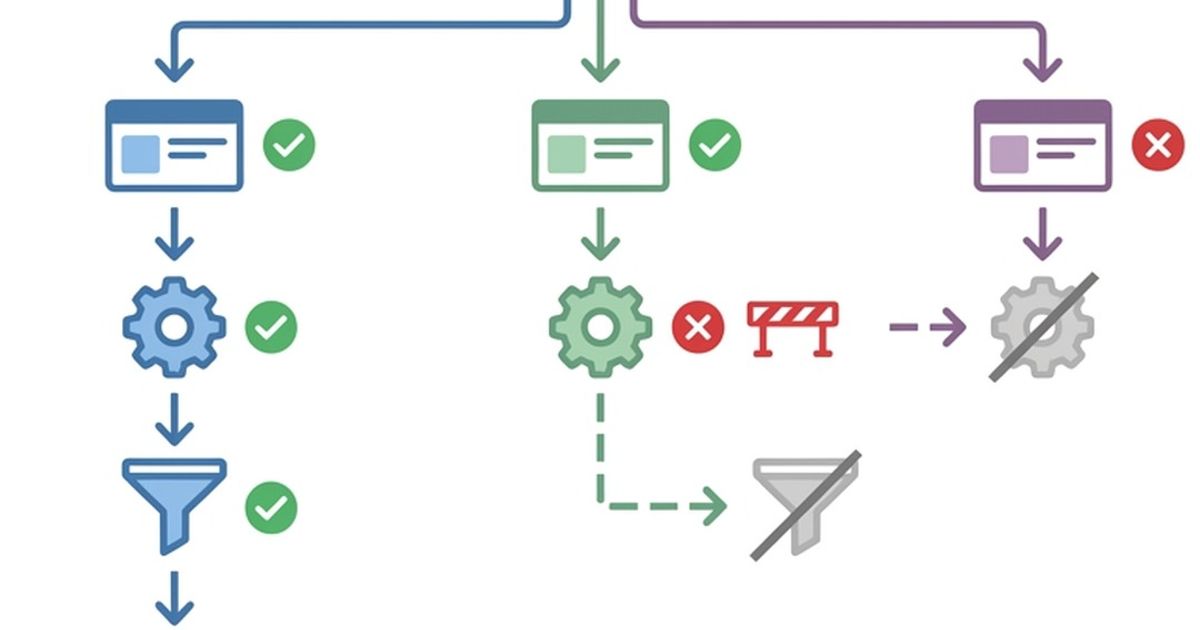
Follow this order — each step rules out or confirms one layer before moving to the next, so you never waste time fixing content when the real problem is indexing:
- Check indexing status for the specific page via Google Search Console's URL Inspection tool.
- Check average position for the target query in the Performance report — is it not-ranking, or ranking-but-low?
- Run PageSpeed Insights on the page to rule out technical/speed issues.
- Compare your page's word count, structure, and format against the current top 5 results for the exact query.
- Count how many related pages/articles you have on the same subtopic to assess topical depth.
- For Instagram: pull reach rate and save ratio for the last 15 posts and compare against your account average from 6 months ago.
- Identify which single layer (indexing, content, technical, or distribution) shows the clearest red flag and fix that one first.
If you'd rather skip the manual checklist, Vistaria's free site analysis runs this exact diagnostic automatically and flags which layer is actually broken, so you're not guessing which of the seven causes applies to your case.
When should you get a professional audit instead of doing it yourself?
Get a professional audit when the manual checks above all come back clean but rankings or engagement still haven't moved after 60-90 days — that pattern usually points to deeper issues like backlink toxicity, log-file crawl budget waste, or subtle keyword cannibalization between your own pages, which require specialized tools to detect. It's also worth it if you're managing 20+ pages or posts, since manual auditing at that scale stops being time-efficient. For a broader view of how these diagnostics fit into an overall content plan, see our full guide on why isn't my website ranking on Google.